

This tutorial walks through the full production setup for an Express.js application backed by PostgreSQL, including automatic deployment and Prisma migration troubleshooting.
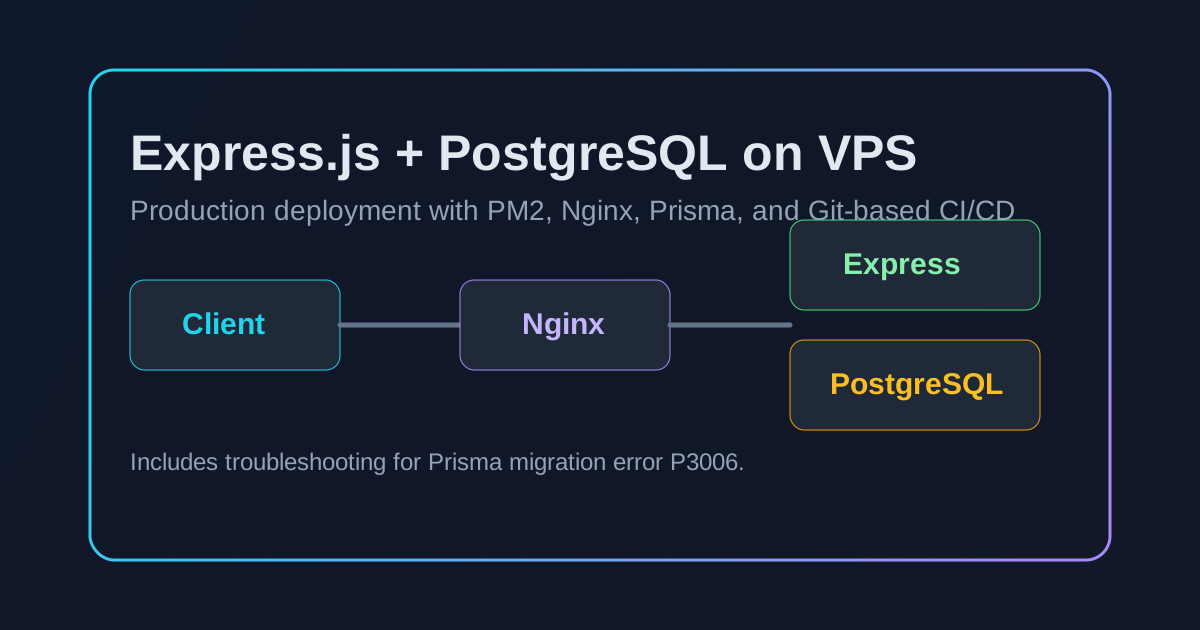 Express.js + PostgreSQL deployment architecture overview
Prerequisites Setup#
1) VPS initial setup#
bash
1# Update system packages
2sudo apt update && sudo apt upgrade -y
3
4# Install essential packages
5sudo apt install git curl wget software-properties-common -y
6
7# Install Node.js and npm
8sudo apt install nodejs npm -y
9
10# Verify installations
11node --version
12npm --version
13git --version
14
2) Install PM2 (Process Manager)#
bash
1# Install PM2 globally
2sudo npm install pm2@latest -g
3
4# Verify installation
5pm2 --version
6
PostgreSQL Database Setup#
1) Install PostgreSQL#
bash
1# Install PostgreSQL and contrib packages
2sudo apt install postgresql postgresql-contrib -y
3
4# Start and enable PostgreSQL service
5sudo systemctl start postgresql
6sudo systemctl enable postgresql
7
8# Verify service status
9sudo systemctl status postgresql
10
2) Configure PostgreSQL#
bash
1# Switch to postgres user
2sudo -i -u postgres
3
4# Access PostgreSQL shell
5psql
6
7# Set password for postgres user
8ALTER USER postgres WITH ENCRYPTED PASSWORD 'your_strong_password';
9
10# Exit PostgreSQL shell
11\q
12
13# Return to regular user
14exit
15
3) Create application database and user#
bash
1# Access PostgreSQL as postgres user
2sudo -u postgres psql
3
4# Create database
5CREATE DATABASE your_app_database;
6
7# Create dedicated user (avoid reserved keywords like 'user')
8CREATE USER app_user WITH ENCRYPTED PASSWORD 'your_app_password';
9
10# Grant privileges
11GRANT ALL PRIVILEGES ON DATABASE your_app_database TO app_user;
12GRANT CONNECT ON DATABASE your_app_database TO app_user;
13
14# Connect to the new database
15\c your_app_database
16
17# Grant schema permissions (important for Prisma)
18GRANT ALL ON SCHEMA public TO app_user;
19GRANT CREATE ON SCHEMA public TO app_user;
20ALTER SCHEMA public OWNER TO app_user;
21GRANT ALL PRIVILEGES ON ALL TABLES IN SCHEMA public TO app_user;
22GRANT ALL PRIVILEGES ON ALL SEQUENCES IN SCHEMA public TO app_user;
23ALTER DEFAULT PRIVILEGES IN SCHEMA public GRANT ALL PRIVILEGES ON TABLES TO app_user;
24ALTER DEFAULT PRIVILEGES IN SCHEMA public GRANT ALL PRIVILEGES ON SEQUENCES TO app_user;
25
26# Exit
27\q
28
Application Deployment#
1) Clone repository#
bash
1# Navigate to desired directory
2cd /var/www
3
4# Clone your repository
5sudo git clone https://github.com/your-username/your-repo.git
6cd your-repo
7
8# Set proper ownership
9sudo chown -R $USER:$USER .
10
2) Configure environment variables#
Create .env:
env
1NODE_ENV=production
2PORT=3000
3
4# PostgreSQL configuration
5DB_HOST=localhost
6DB_PORT=5432
7DB_NAME=your_app_database
8DB_USER=app_user
9DB_PASSWORD=your_app_password
10
11# Database URL (alternative format)
12DATABASE_URL=postgresql://app_user:your_app_password@localhost:5432/your_app_database?schema=public
13
3) Install dependencies and set up database#
bash
1# Install Node.js dependencies
2npm install
3
4# Test database connection
5psql "postgresql://app_user:your_app_password@localhost:5432/your_app_database" -c "SELECT current_database(), current_user, now();"
6
7# Push Prisma schema (for initial setup)
8npx prisma db push --force-reset
9
10# Generate Prisma client
11npx prisma generate
12
13# Run database migrations
14npx prisma migrate deploy
15
16# Seed database (if applicable)
17npx prisma db seed
18
Process Management with PM2#
1) Start application#
bash
1# Start your Express app with PM2
2pm2 start server.js --name "your-app-name"
3
4# Alternative: using npm script
5pm2 start npm --name "your-app-name" -- start
6
2) Configure auto-restart on boot#
bash
1# Setup PM2 startup script
2pm2 startup systemd
3
4# Follow the instructions shown, then save configuration
5pm2 save
6
3) PM2 management commands#
bash
1pm2 list
2pm2 logs your-app-name
3pm2 monit
4pm2 restart your-app-name
5pm2 stop your-app-name
6pm2 delete your-app-name
7
Nginx Reverse Proxy Setup#
1) Install and configure Nginx#
bash
1# Install Nginx
2sudo apt install nginx -y
3
4# Create site configuration
5sudo nano /etc/nginx/sites-available/your-app
6
Add this server block:
nginx
1server {
2    listen 80;
3    server_name your-domain.com your-vps-ip;
4
5    location / {
6        proxy_pass http://localhost:3000;
7        proxy_http_version 1.1;
8        proxy_set_header Upgrade $http_upgrade;
9        proxy_set_header Connection 'upgrade';
10        proxy_set_header Host $host;
11        proxy_set_header X-Real-IP $remote_addr;
12        proxy_set_header X-Forwarded-For $proxy_add_x_forwarded_for;
13        proxy_set_header X-Forwarded-Proto $scheme;
14        proxy_cache_bypass $http_upgrade;
15    }
16}
17
2) Enable site and configure firewall#
bash
1# Enable the site
2sudo ln -s /etc/nginx/sites-available/your-app /etc/nginx/sites-enabled/
3
4# Test configuration
5sudo nginx -t
6
7# Restart Nginx
8sudo systemctl restart nginx
9
10# Configure firewall
11sudo ufw allow 'Nginx Full'
12sudo ufw allow ssh
13sudo ufw enable
14
Git Automatic Deployment Setup#
Method 1: Git hooks#
bash
1# Create bare repository on VPS
2sudo mkdir -p /var/repo/site.git
3cd /var/repo/site.git
4sudo git init --bare
5
6# Create post-receive hook
7sudo nano hooks/post-receive
8hooks/post-receive:
bash
1#!/bin/sh
2git --work-tree=/var/www/your-app --git-dir=/var/repo/site.git checkout -f
3cd /var/www/your-app
4npm install
5npx prisma generate
6npx prisma migrate deploy
7pm2 restart your-app-name
8
bash
1# Make executable
2sudo chmod +x hooks/post-receive
3
4# Add remote to local repository
5git remote add production user@your-vps-ip:/var/repo/site.git
6
Method 2: GitHub Actions#
Create .github/workflows/deploy.yml:
yaml
1name: Deploy to VPS
2
3on:
4  push:
5    branches: [main]
6
7jobs:
8  deploy:
9    runs-on: ubuntu-latest
10
11    steps:
12      - name: Checkout code
13        uses: actions/checkout@v3
14
15      - name: Deploy to VPS
16        env:
17          SSH_PRIVATE_KEY: ${{ secrets.DEPLOY_KEY }}
18        run: |
19          mkdir -p ~/.ssh
20          echo "$SSH_PRIVATE_KEY" > ~/.ssh/id_rsa
21          chmod 600 ~/.ssh/id_rsa
22          ssh-keyscan -H your-vps-ip >> ~/.ssh/known_hosts
23          rsync -avz --delete ./ user@your-vps-ip:/var/www/your-app/
24          ssh user@your-vps-ip "cd /var/www/your-app && npm install && npx prisma generate && npx prisma migrate deploy && pm2 restart your-app-name"
25
Troubleshooting Common Issues#
Prisma migration error P3006: "Type Already Exists"#
Error: Migration failed to apply cleanly to the shadow database. ERROR: type "FeeStatus" already exists
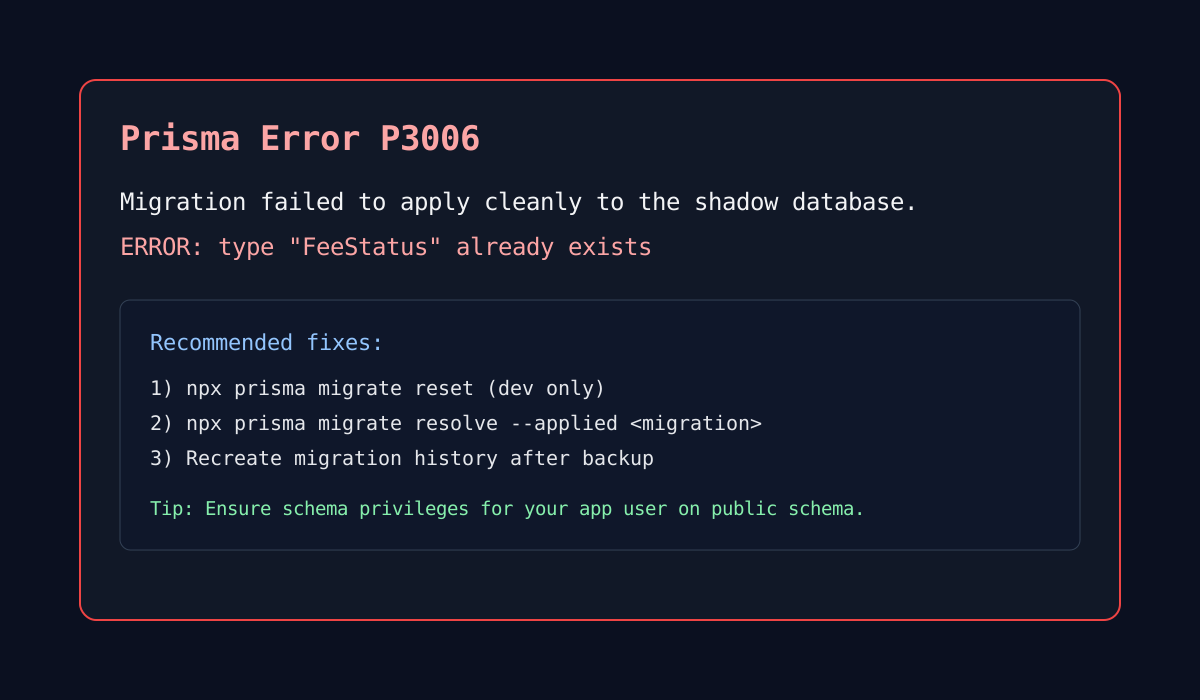 Prisma migration error P3006 example
Solution 1: Reset migration state (development)#
bash
1# WARNING: deletes all data
2npx prisma migrate reset
3
4# Push current schema
5npx prisma db push
6
7# Generate client
8npx prisma generate
9
Solution 2: Mark migration as applied#
bash
1# Check migration status
2npx prisma migrate status
3
4# Mark problematic migration as applied
5npx prisma migrate resolve --applied migration_name
6
7# Try new migration
8npx prisma migrate dev --create-only
9
Solution 3: Clean migration history#
bash
1# Backup schema
2cp prisma/schema.prisma schema_backup.prisma
3
4# Delete migrations folder
5rm -rf prisma/migrations
6
7# Create fresh migration
8npx prisma migrate dev --name init
9
Network/API access issues#
bash
1pm2 list
2sudo netstat -tlnp | grep :3000
3curl http://localhost:3000
4sudo ufw status
5sudo systemctl status nginx
6
Database connection issues#
bash
psql "postgresql://app_user:password@localhost:5432/database" -c "SELECT current_user;"
sudo systemctl status postgresql
sudo -u postgres psql -c "\l"
Best Practices#
Security#
- Use strong passwords for database users.
- Keep PostgreSQL updated regularly.
- Use SSH keys instead of passwords for automation.
- Limit database permissions to only what is needed.
- Never commit
.envfiles to version control.
Development workflow#
- Use
npx prisma migrate devfor schema changes in development. - Keep migration files in version control.
- Use separate databases for each developer.
- Test migrations on staging before production.
- Back up the database before production migrations.
Monitoring#
- Check PM2 logs regularly:
pm2 logs - Monitor system resources:
htop,df -h - Set up PM2 log rotation:
pm2 install pm2-logrotate - Monitor database activity:
sudo -u postgres psql -c "SELECT * FROM pg_stat_activity;"
Quick reference commands#
bash
1# Database operations
2psql "postgresql://user:pass@localhost:5432/db" -c "command"
3npx prisma db push
4npx prisma migrate dev
5npx prisma generate
6
7# PM2 operations
8pm2 start/stop/restart/delete app-name
9pm2 logs app-name
10pm2 monit
11
12# System operations
13sudo systemctl restart nginx
14sudo systemctl restart postgresql
15sudo ufw allow port
16curl http://localhost:3000
17
18# Git deployment
19git push production main
20
If you want, I can also publish a follow-up guide for HTTPS with Let's Encrypt, zero-downtime deploys, and a rollback strategy.
Related on this site#
- Prefer Python? See Deploying a FastAPI Backend on DigitalOcean with Dokploy and Docker.
- Designing the data model first? Read the Complete Guide to Multi-Tenant Architecture.
- Tune the database you just deployed with 5 Hard-Earned Lessons in SQL Optimization.
- See this stack in production in the Education Management System project (React, Express.js, PostgreSQL).